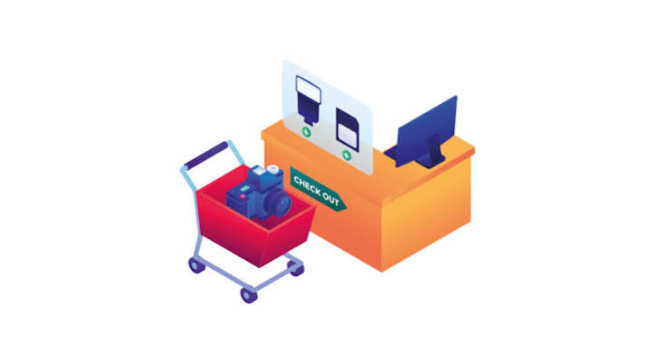

A WooCommerce store needs more than a good product catalog because shoppers do not buy from products alone; they buy from a smooth, trusted, fast, and helpful buying experience. Baymard Institute reports an average cart abandonment rate of 70.19%, which means most interested shoppers still leave before paying.
TLDR: A strong catalog gets attention, but it does not finish the sale by itself. A WooCommerce store also needs fast pages, clear checkout steps, trust signals, support, marketing, backups, and post-purchase follow-up. For example, if 10,000 shoppers add products to their cart, around 7,019 may leave before checkout based on the average above. Even a small 5% recovery from better checkout emails or payment options can mean hundreds of extra orders.
Products Get Clicks. Experience Gets Sales.
A product catalog is the front shelf. It shows what is for sale. That matters, of course. But the full store experience decides whether a shopper feels safe enough to pay.
A clean catalog with sharp photos and clear descriptions is only one part of the job. The rest includes speed, mobile design, checkout flow, shipping clarity, customer service, and follow-up emails. If any of those pieces feels weak, the shopper can leave in seconds.
Honestly, it feels like many stores spend weeks polishing product titles, then lose sales because checkout takes four extra taps on a phone. That is painful. It is also fixable.
IMAGE: https://unsplash.com/photos/person-using-macbook-pro-on-table-oBCwIGGgMLA
sEE ALSO: How to Give Outdated Phones a More Responsible Second Life
Speed Is Not a Nice Extra
Slow pages hurt sales. Shoppers expect product pages to open fast. They will not wait around while a large image loads or a plugin stalls the page.
A strong WooCommerce store should check:
- Image size: Product photos should look sharp without slowing the page.
- Hosting quality: Cheap hosting can become costly during busy sales periods.
- Plugin load: Too many plugins can add scripts, delays, and errors.
- Mobile speed: Many shoppers browse and buy from phones.
Speed also affects trust. A slow cart feels broken. A slow payment page feels risky. That feeling can kill a sale before the buyer even sees the final price.
Checkout Needs to Be Simple
The checkout page is where intent turns into money. It should not feel like paperwork.
A good WooCommerce checkout removes friction. It offers guest checkout. It shows shipping costs early. It supports the payment methods buyers expect. It keeps form fields short. Every extra field gives the shopper another chance to quit.
Clear error messages also matter. If a card fails, the store should explain what happened. If a coupon is invalid, the message should be plain. Vague warnings make shoppers feel stuck.
Trust Signals Do the Quiet Work
Trust is not built by one badge. It is built by small signals across the site.
- Real reviews under key products
- Clear return policy linked near checkout
- Secure payment icons placed where buyers decide
- Visible contact details for support
- Accurate delivery estimates before payment
It drives store owners a little mad when shoppers ask the same shipping question again and again. But that often means the answer is not visible enough. The fix may be as simple as adding delivery details near the “Add to cart” button.
Marketing Cannot Stop at Product Uploads
A catalog does not bring steady traffic on its own. WooCommerce store owners need a plan for getting people to the site and bringing them back.
Email helps here. So do search engine pages, paid ads, referral offers, and social posts. The best mix depends on the store’s margins and audience. A small store can still build a strong plan with a careful digital marketing strategy that fits a tight budget.
Abandoned cart emails are also key. So are welcome emails, reorder reminders, and product education emails. These messages should feel helpful, not pushy. A buyer who gets useful tips after a purchase is more likely to return.
Content Gives Products More Context
Some products need explanation. A catalog page may not be enough.
Buying guides, comparison pages, size charts, care tips, and FAQs can answer questions before support gets involved. This content also helps search engines understand the store better.
For example, a store selling skincare can add skin type guides. A store selling coffee gear can add brewing tutorials. A store selling office chairs can add posture tips. These pages make the product easier to choose.
IMAGE: https://unsplash.com/photos/a-person-sitting-at-a-desk-using-a-laptop-computer-ru18KXzFA4E
Support Is Part of the Store
Support is not separate from sales. It is part of the buying journey.
Live chat, ticket forms, help pages, and clear contact options reduce doubt. They also protect the store from bad reviews caused by simple confusion.
Support should cover:
- Order tracking
- Returns and refunds
- Product setup
- Shipping delays
- Payment issues
Short, clear answers work best. Nobody wants a wall of policy text when a package is late.
Security and Backups Cannot Be Ignored
A WooCommerce store handles customer data, payment flows, accounts, and order records. That makes security serious.
Store owners should use strong passwords, regular updates, malware scans, and reliable backups. If an update breaks checkout, the business needs a fast way back. A modern WordPress backup strategy can save hours of stress during a bad plugin conflict or failed update.
Analytics Show What the Catalog Cannot
Product pages may look fine, but data tells the real story. Analytics can show where shoppers leave, which products get viewed but not bought, and which traffic sources bring buyers instead of browsers.
Useful reports include:
- Cart abandonment rate
- Checkout drop-off
- Revenue by traffic source
- Top exit pages
- Repeat purchase rate
Without this data, store owners guess. Guessing often gets expensive.